


Compliant drone operations

with every flight

SkyCompanion makes drone compliance easy with outstanding information and instant reports.

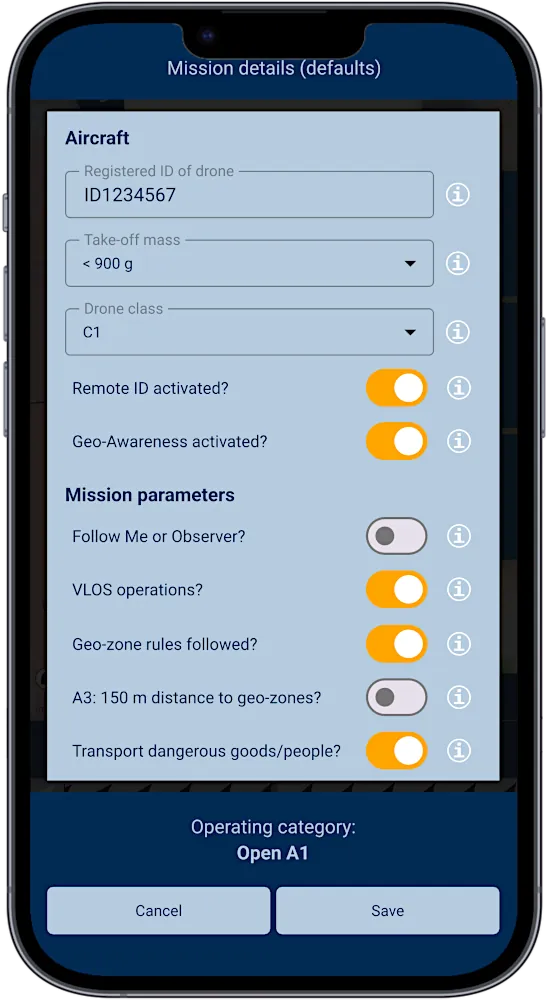
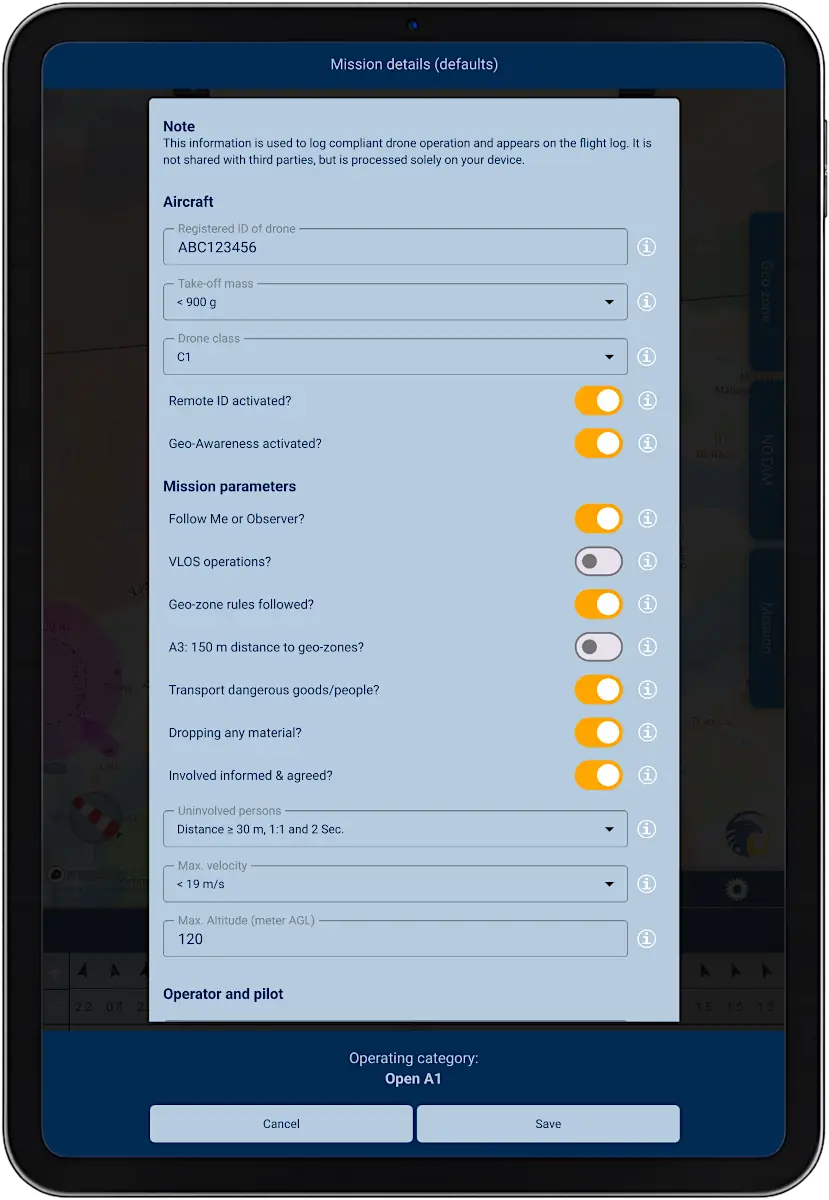
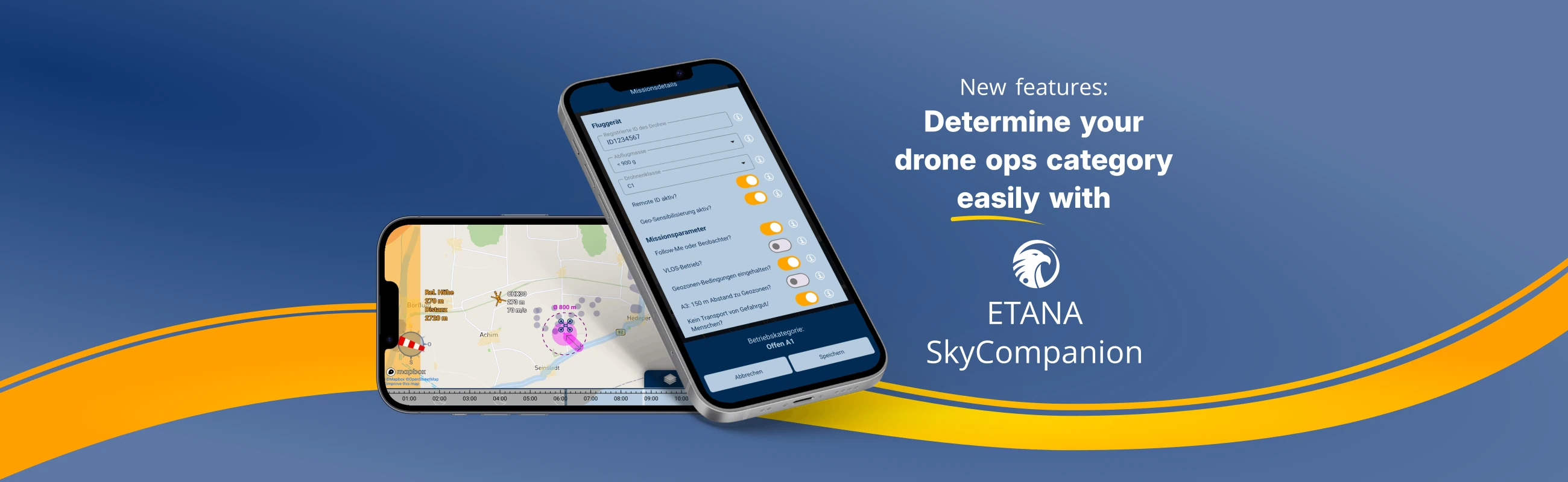
Smartphone with screenshot of app SkyCompanion showing a checklist for drone operations.

Have your operations category determined automatically

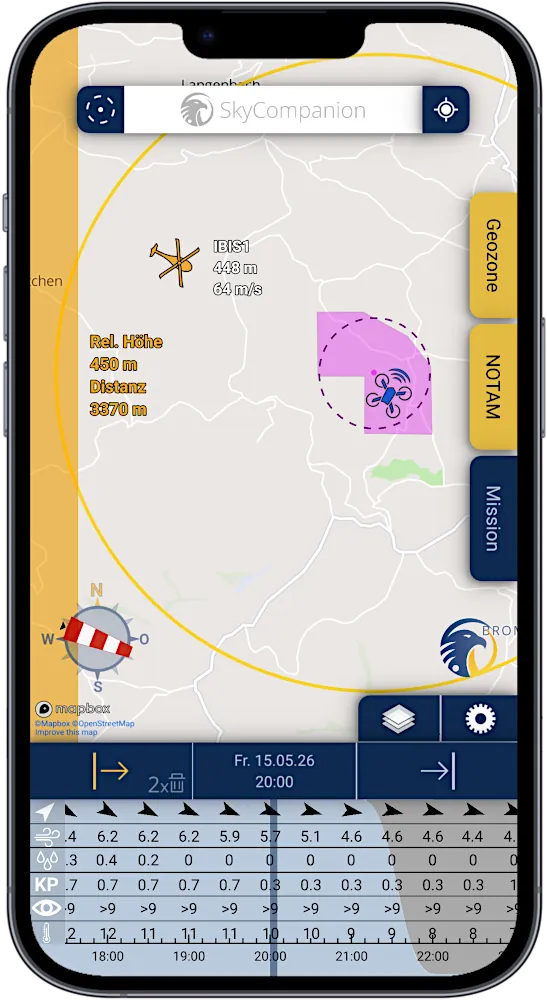
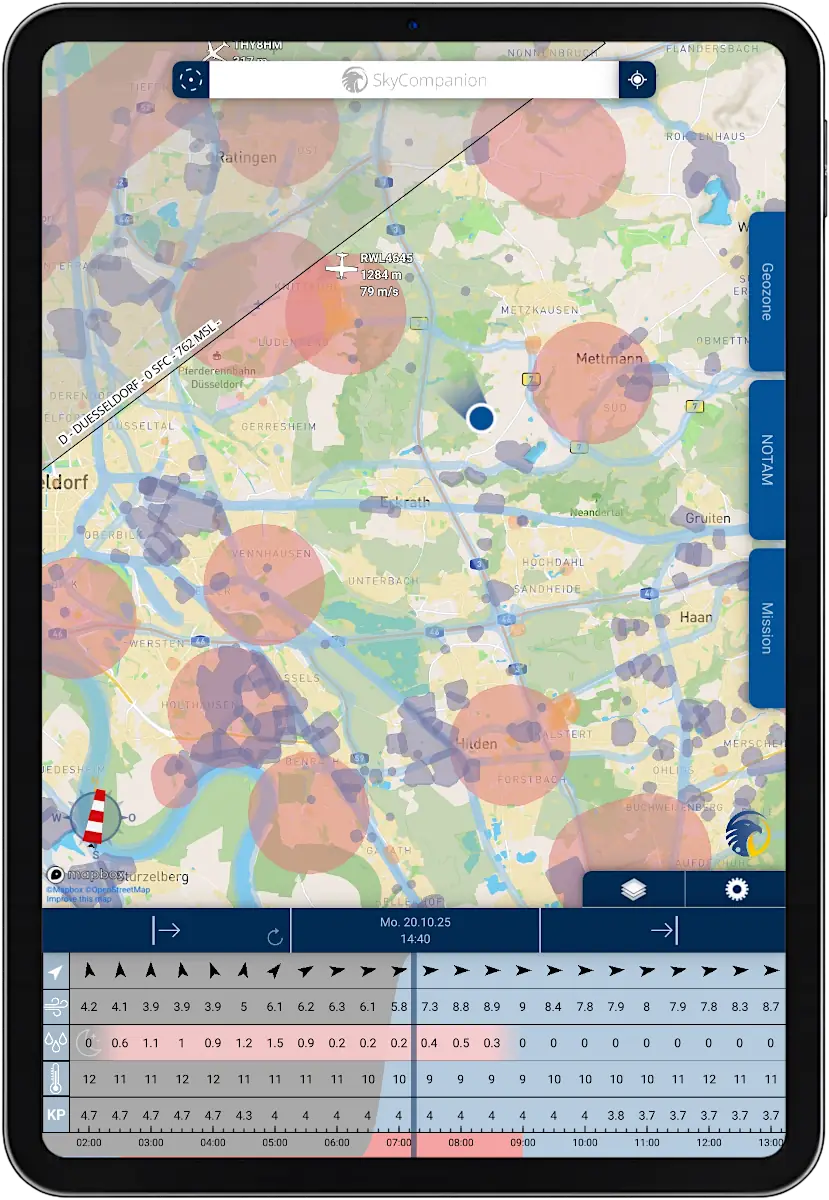
Smartphone with screenshot of app SkyCompanion showing a map with air traffic, drones and warnings and a time slider element with weather data

Detect air traffic heading towards you

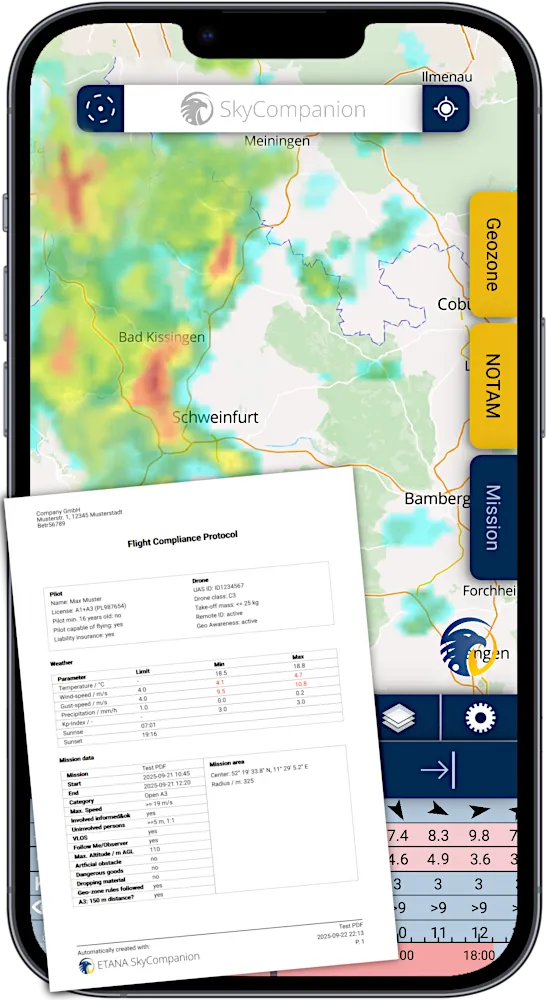
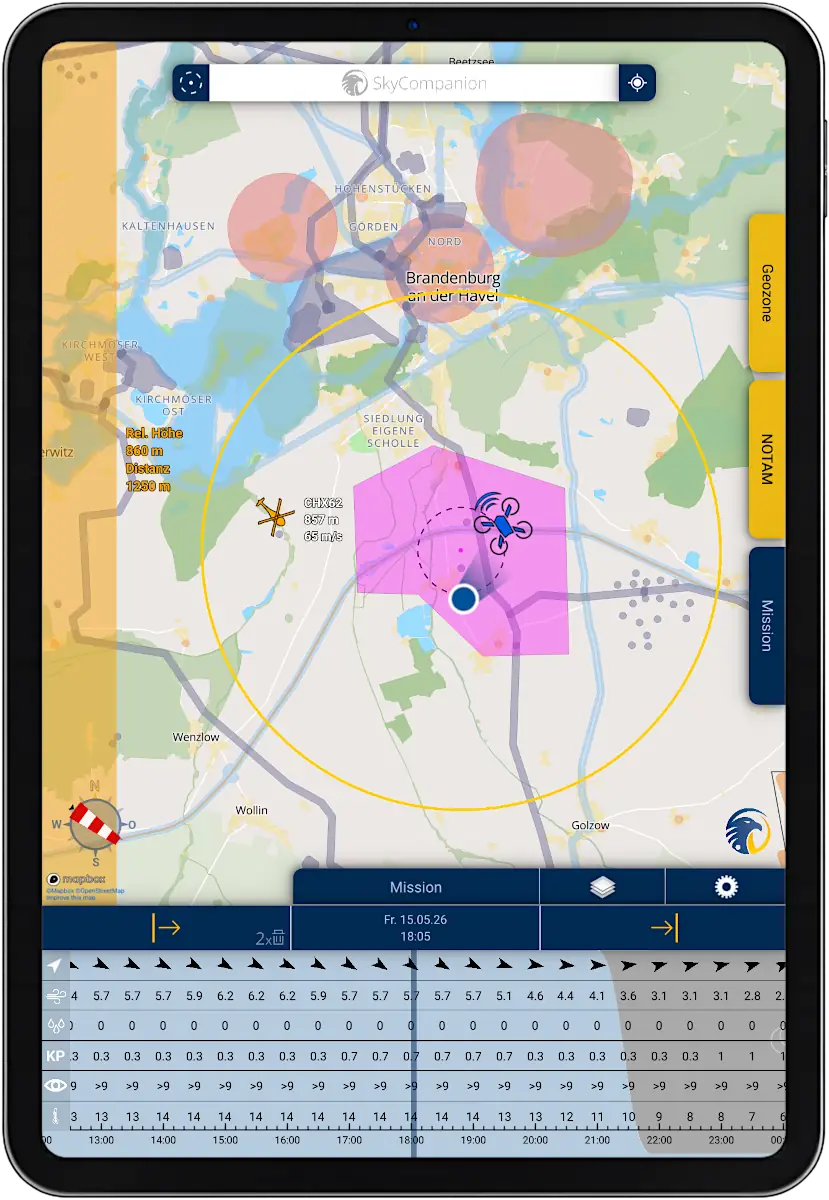
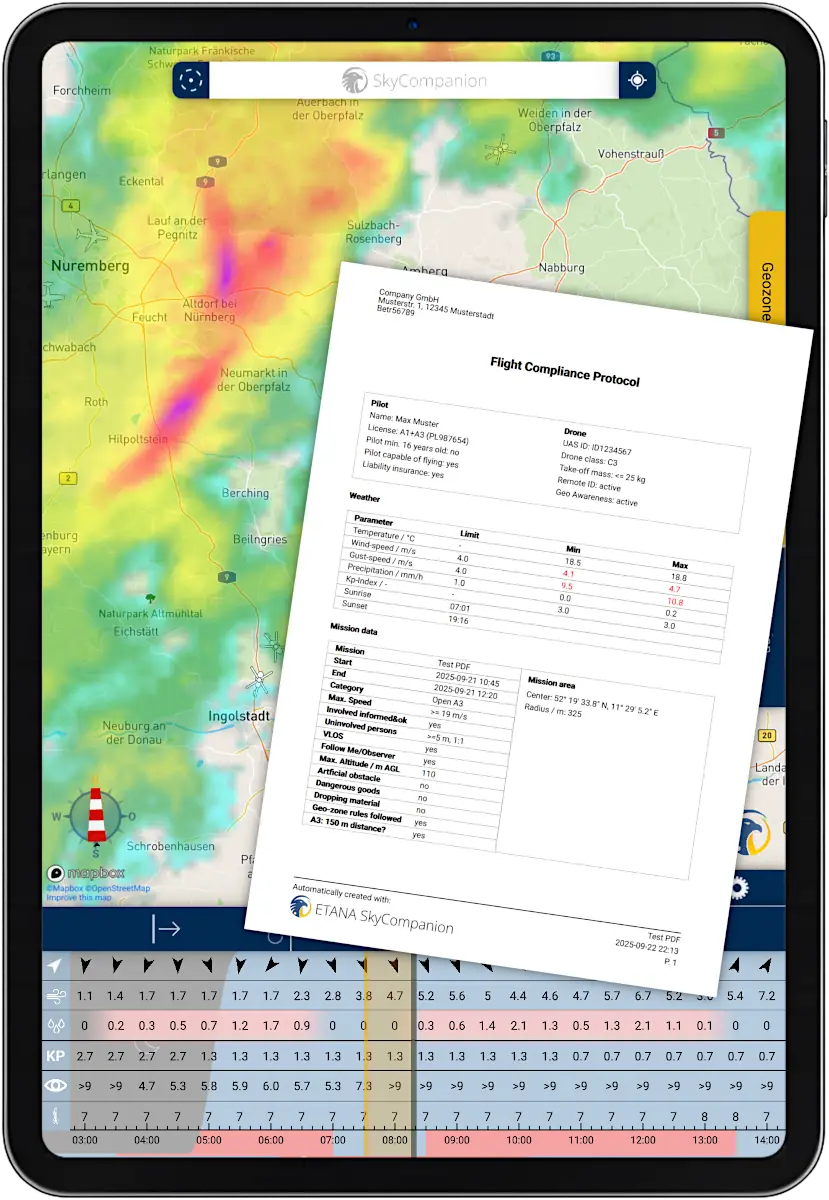
Smartphone with screenshot of app SkyCompanion showing a satellite map and a mission protocol

Get mission protocols at the push of a button

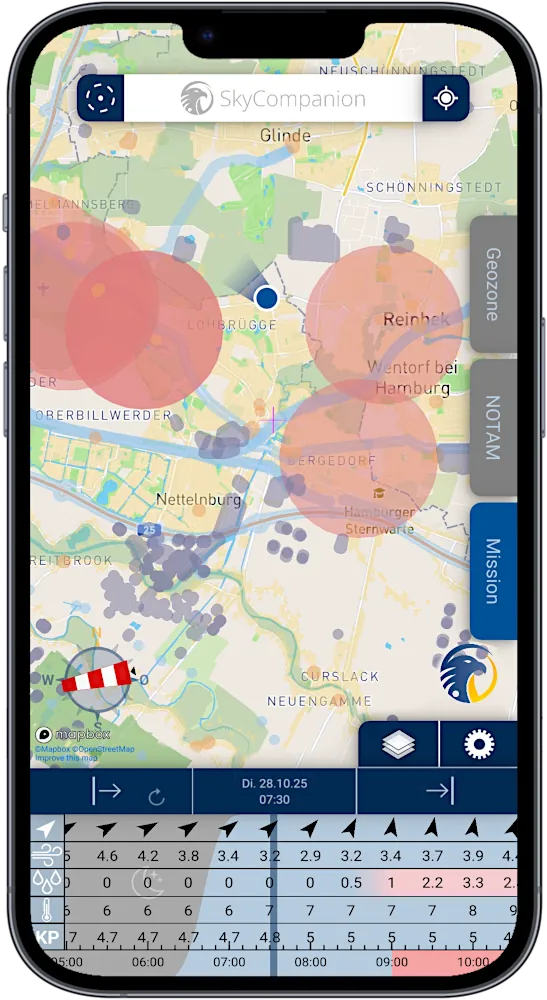
Smartphone with screenshot of app SkyCompanion showing a map with geo-zones and a time slider element with weather data.

Know where to fly – and where not

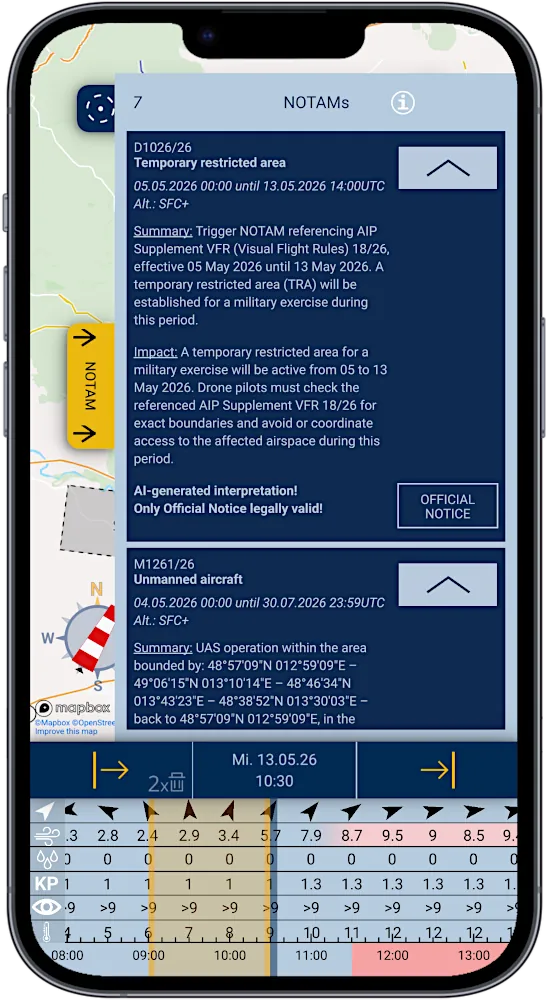
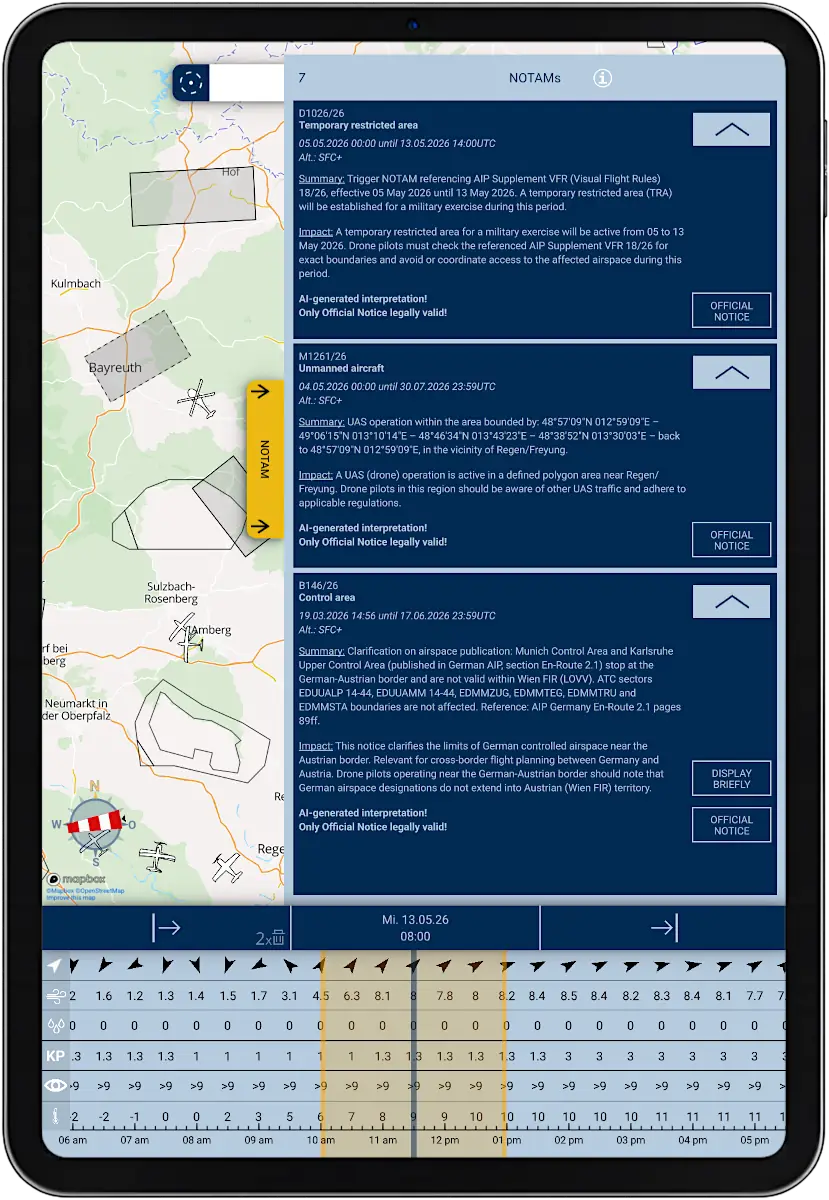
Smartphone with screenshot of app SkyCompanion showing a list of NOTAMs and a time slider element with weather data

Learn about current events in your airspace

Compliant drone operations

with every flight

SkyCompanion makes drone compliance easy with instant reports and outstanding data.

Tablet with screenshot of app SkyCompanion showing a checklist for drone operations.

Have your operations category determined automatically

Tablet with screenshot of app SkyCompanion showing a map with air traffic, drones and warnings and a time slider element with weather data.

Detect air traffic heading towards you

Tablet with screenshot of app SkyCompanion showing a satellite map and a mission protocol.

Get mission protocols at the push of a button

Tablet with screenshot of app SkyCompanion showing a map with geo-zones and a time slider element with weather data.

Know where to fly – and where not

Tablet with screenshot of app SkyCompanion showing a list of NOTAMs and a time slider element with weather data.

Learn about current events in your airspace

Compliant drone operations with
every flight

SkyCompanion makes drone compliance easy with instant reports and outstanding data.

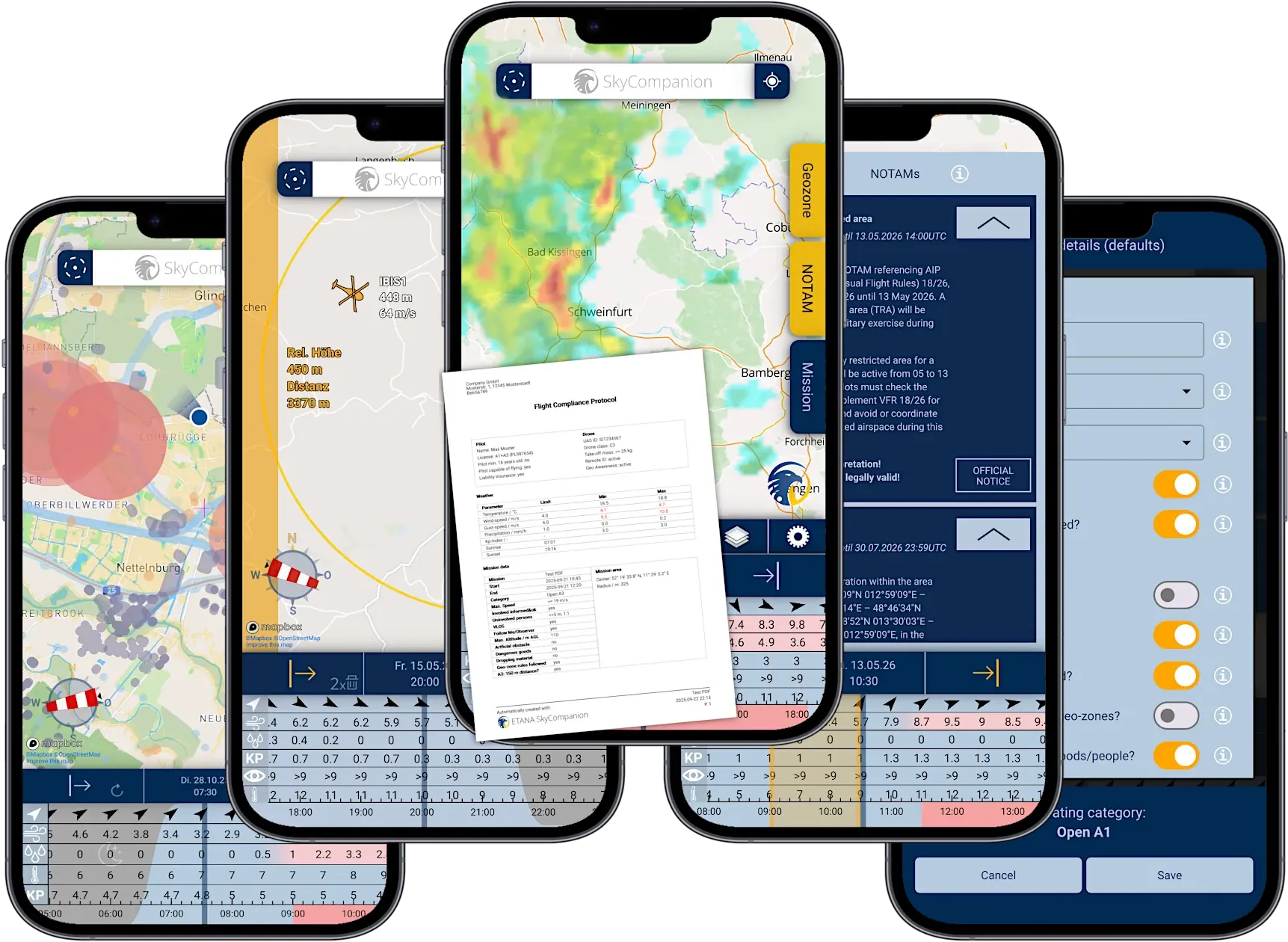
Five smartphones with different screenshots of the app SkyCompanion, showing mission protocols, geo-zones, weather, traffic and NOTAMs

Legal drone operations – easy!

SkyCompanion makes compliant drone flights easy with an assisted determination of the operations category, automatically generated flight protocols at the push of a button and all necessary data in the highest quality in one single app.

You can plan missions in advance, check environmental conditions during flights and document your compliance to ensure legal drone operations.

Save up to 80 % planning effort

SkyCompanion helps drone pilots save valuable time by avoiding the hassle of gathering flight-relevant data from multiple sources.

In one single app, it provides you with the most comprehensive geo-zones and airspaces, high-quality weather data from the German Weather Service (DWD), live air traffic with warnings and Remote ID, and official NOTAMs and TFRs in readable language.

Boost your flight safety

SkyCompanion reduces the probability of errors by improving awareness for potential risks with its consistent package of high-quality data

Instead of hopping between different apps, improve the safety of your drone operations with all needed information in our all-in-one tool SkyCompanion.

30 days free trial!

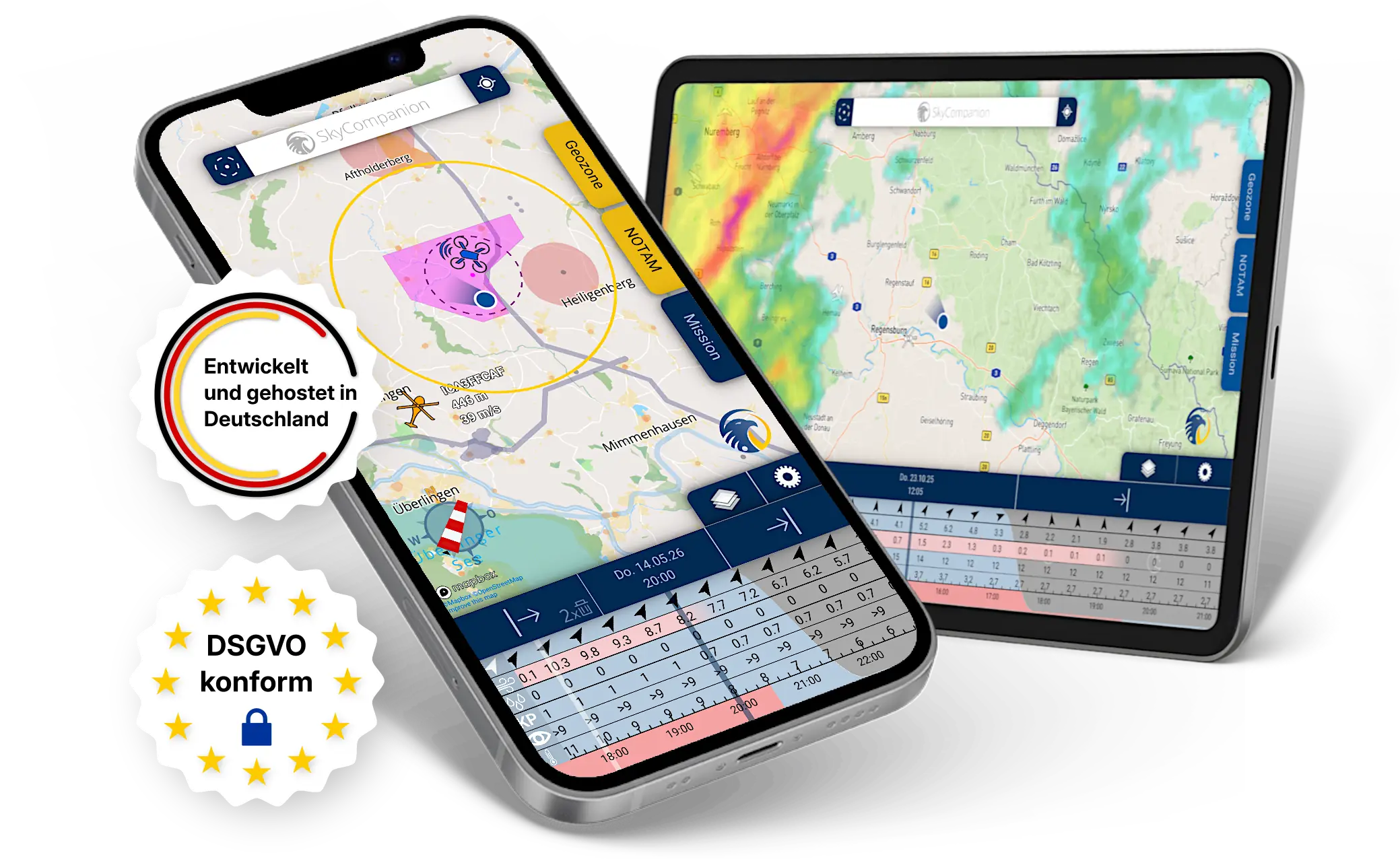
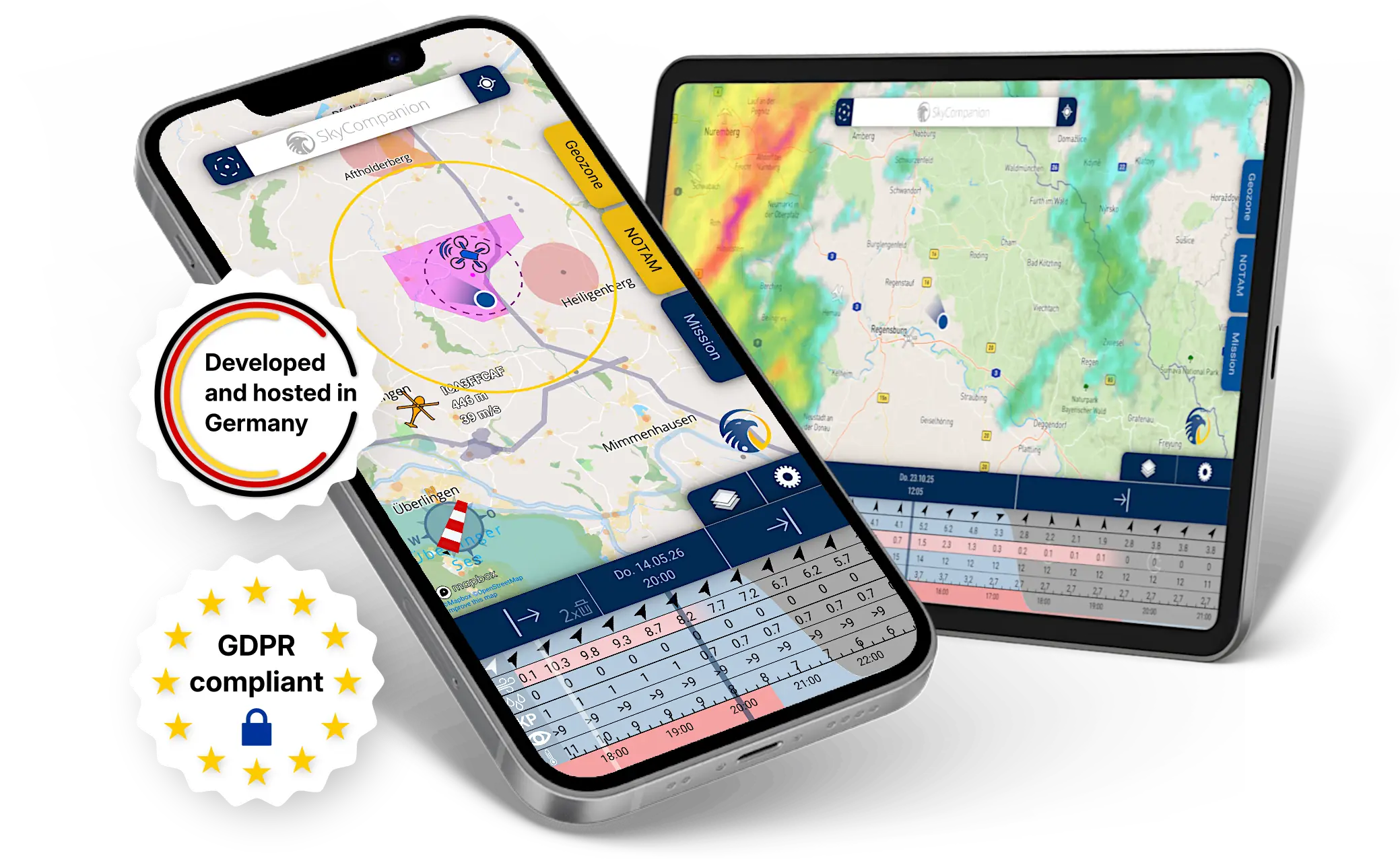
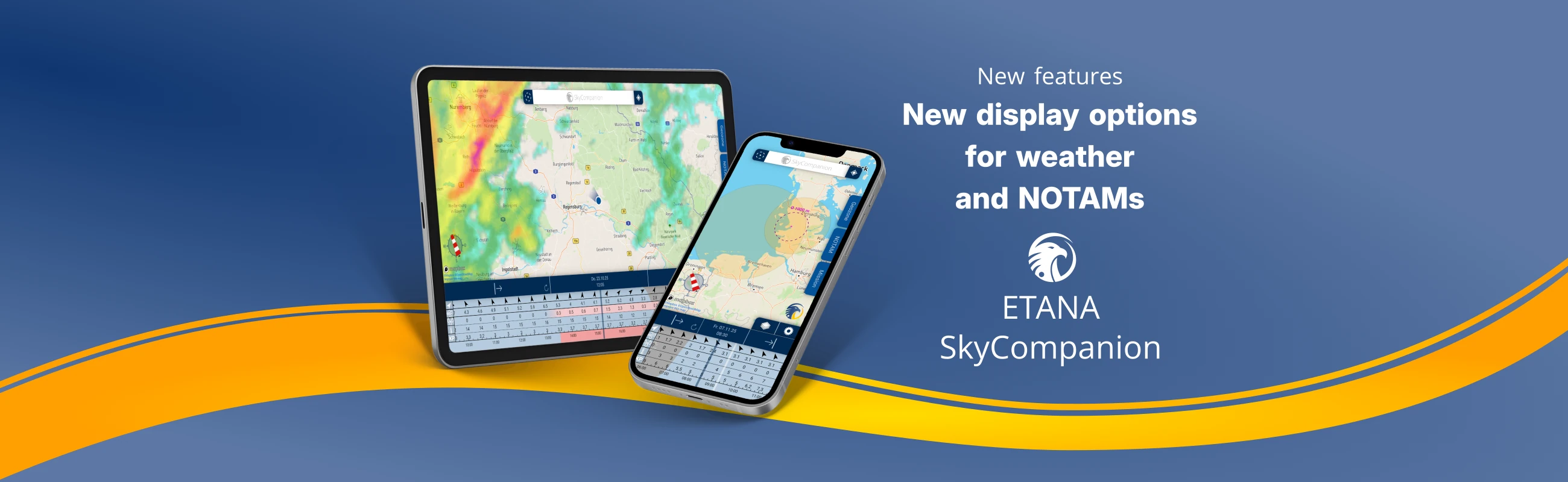
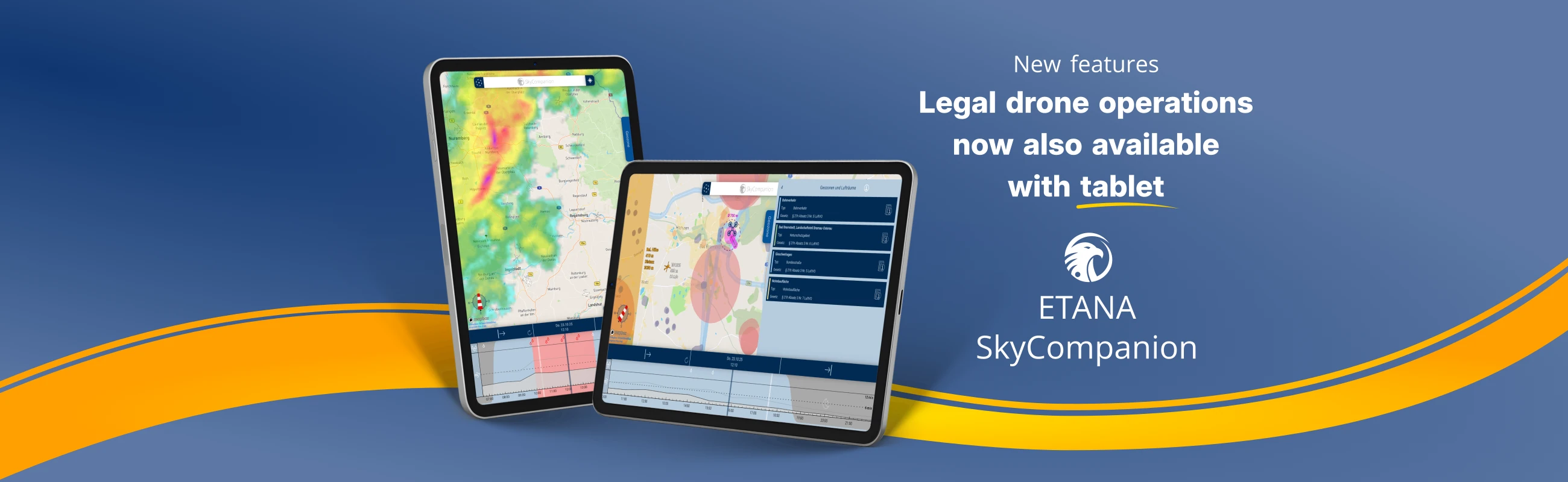
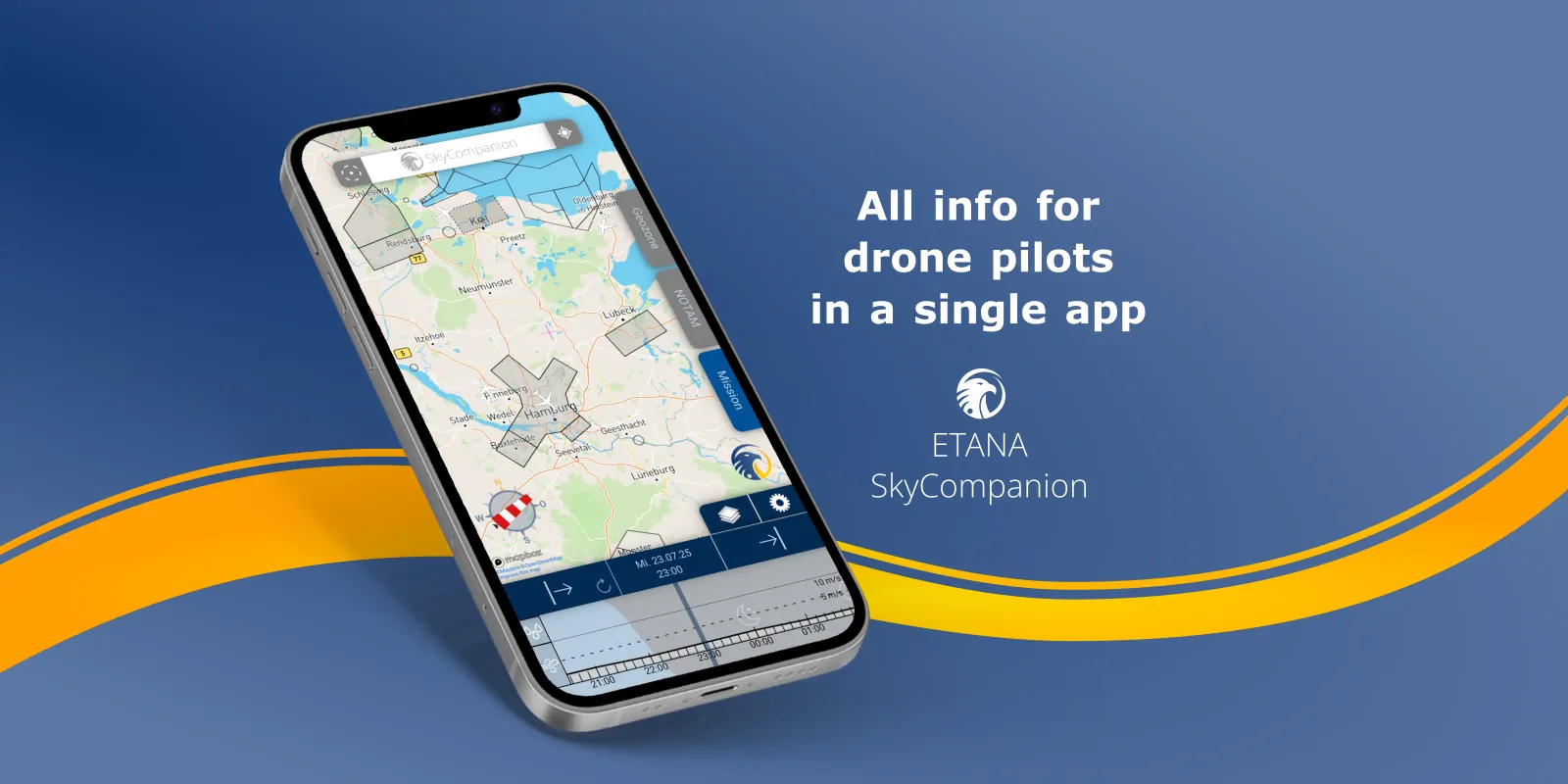
Smartphone and tablet with screenshots of app SkyCompanion showing a map with air traffic, air spaces and a time slider element with weather data.

30 days free trial!

Legal drone operations – easy!

SkyCompanion makes compliant drone flights easy with an assisted determination of the operations category, automatically generated flight protocols at the push of a button and all necessary data in the highest quality in one single app.

You can plan missions in advance, check environmental conditions during flights and document your compliance to ensure legal drone operations.

Smartphone and tablet with screenshots of app SkyCompanion showing a map with air traffic, air spaces and a time slider element with weather data.

Save up to 80 % planning effort

SkyCompanion helps drone pilots save valuable time by avoiding the hassle of gathering flight-relevant data from multiple sources.

In one single app, it provides you with the most comprehensive geo-zones and airspaces, high-quality weather data from the German Weather Service (DWD), live air traffic with warnings and Remote ID, and official NOTAMs and TFRs in readable language.

Boost your flight safety

SkyCompanion reduces the probability of errors by improving awareness for potential risks with its consistent package of high-quality data

Instead of hopping between different apps, improve the safety of your drone operations with all needed information in our all-in-one tool SkyCompanion.

Data API for mission planning

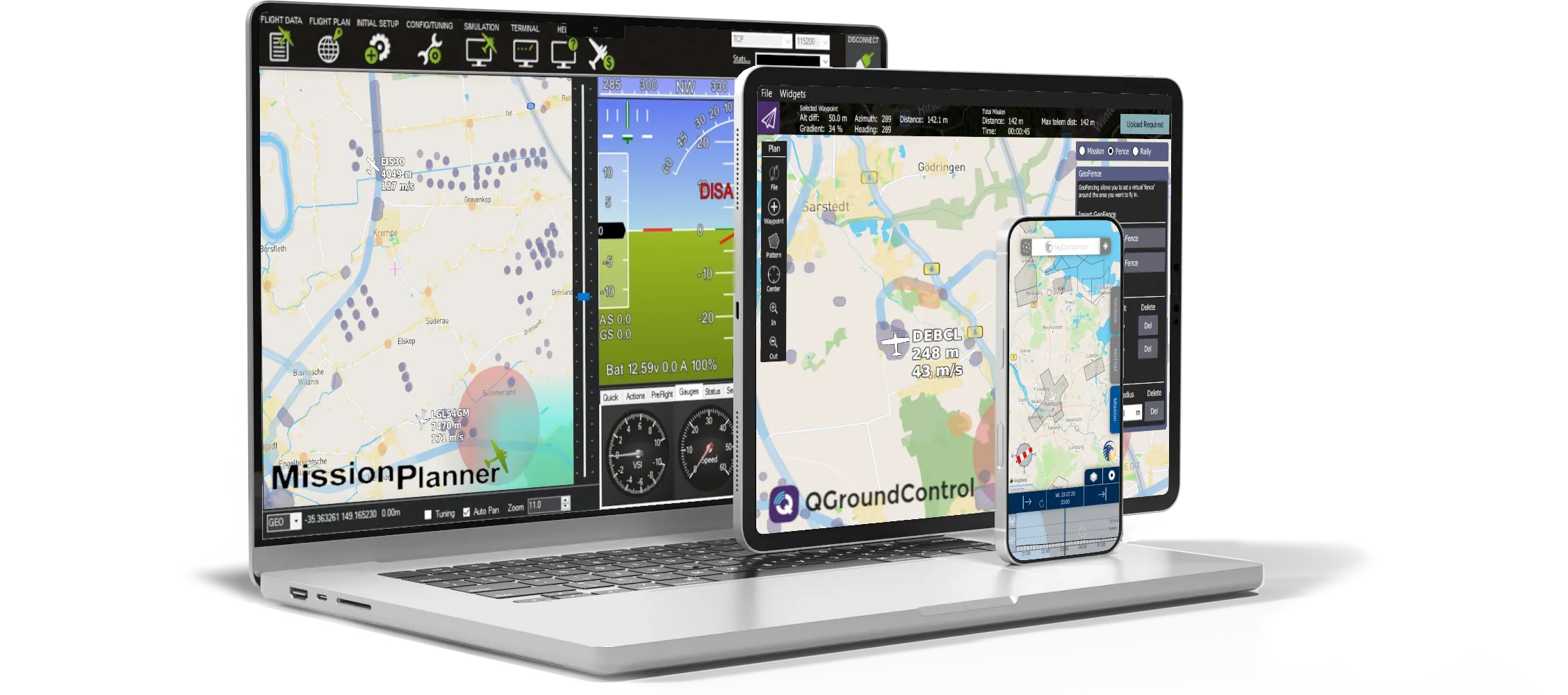
SkyCompanion's data and maps can be integrated as API into any mission planning software, such as QGroundControl or MissionPlanner.

Enhance your operational set up with the latest and highest-quality data on the market. Feel free to use the form below to contact us for more information.

Data API for mission planning

SkyCompanion's data and maps can be integrated as API into any mission planning software, such as QGroundControl or MissionPlanner.

Enhance your operational set up with the latest and highest-quality data on the market. Feel free to use the form below to contact us for more information.

Pricing for SkyCompanion

Try SkyCompanion 30 days for free

Monthly
Subscription

Most flexible

30 days free trial, then

8.99 €

incl. VAT, per month

Yearly Subscription

Save 25 %

30 days free trial, then

79.99 €

incl. VAT, per year

SkyCompanion
for Teams

Volume discounts

Contact for offer

Pricing for SkyCompanion

Try SkyCompanion 30 days for free

Monthly Subscription

Most flexible

30 days free trial, then

8.99 €

incl. VAT, per month

Yearly Subscription

Save 25 %

30 days free trial, then

79.99 €

incl. VAT, per year

SkyCompanion for Teams

Volume discounts

Contact for offer

Latest News of ETANA SYSTEMS

FAQ

SkyCompanion supports drone pilots in ensuring legal and safe drone operation. It clearly displays all the necessary information for your flight mission and automates documentation.

Details: The map shows you geo-zones, current flight restrictions, weather data, and air traffic (including remote ID). To help you keep track of everything, the information for your own flight mission is prepared and filtered.

You can plan missions, determine the respective operations category, and automatically document them as a PDF protocol.

Try risk-free today:
Apple App Store
Google Play

Updated: Feb 9th, 2026

Yes, SkyCompanion shows drone pilots at a glance where they are allowed to fly and where they are not.

Details: Geo-zones are areas where restrictions apply to the operation of drones, e.g., hospitals, public authorities. In SkyCompanion, you can view geo-zones on the map and get detailed information about the geo-zones in your area of operation.

In addition, special airspaces and no-fly zones are displayed where drone operation may also be restricted, such as airport controlled trafic regions. This allows you to quickly assess whether flying is permitted in your desired area and under what conditions.

Try risk-free today:

Apple App Store
Google Play

Updated: Feb 9th, 2026

Yes, SkyCompanion provides an overview and tips on important rules that drone pilots must follow when flying.

Details: When preparing your mission, practical explanations will help you understand how your plans affect your operations category (e.g. open category A1) and what constraints you must adhere to during your flights, e.g., distances from people, flight speeds, flight altitudes, and much more.

Try risk-free today:
Apple App Store
Google Play

Updated: Feb 9th, 2026

Yes, SkyCompanion automatically determines which (sub)category you are flying in based on the information you provide, e.g., open category A1.

Details: Each drone flight falls into a particular category, which is determined based on conditions that can be quite complex. SkyCompanion helps you determine the correct (sub)category for your flight mission with an assisted questionnaire.

This feature is currently available for drone flights in the open category. A feature for determining a SAIL level in the specific category will follow later.

Try risk-free today:
Apple App Store
Google Play

Updated: Feb 9th, 2026

Yes. SkyCompanion automatically generates mission protocols for drone flights as PDF with the relevant mission data.

Details: You can export a PDF flight protocol for each mission. The protocol contains important mission details, the operations category, the affected geo-zones, relevant NOTAMs in the region, and selected weather data (min/max values). This simplifies your documentation, approvals, and audits—especially for professional use.

Try risk-free today:
Apple App Store
Google Play

Updated: Feb 9th, 2026

SkyCompanion only uses highest quality data from official registers and established primary sources, regularly updated for its users.

Details:

  • The most comprehensive and most current geo-zones on the market, compiled from official government registers.
  • Weather data from the German Weather Service (DWD), the Helmholtz Centre of Geosciences (GFZ), and official airport weather stations.
  • Live air traffic data from the world’s largest tracking network, ADSB Exchange, and from OGN
  • NOTAMs from official ICAO publications

Remarks: Currently, data availability is limited to Germany; availability and topicality of the data may be temporarily limited due to technical or other reasons.

Try risk-free today:
Apple App Store
Google Play

Updated: Feb 9th, 2026

Yes, SkyCompanion displays official airspace restrictions on the map (e.g., ED-R, TFR) and current NOTAMs in readable language.

Details: Every year, thousands of events are published in the airspace (e.g., short-term closures, military exercises), and drone pilots also need to be aware of the relevant notifications in order to fly safely and legally.

SkyCompanion displays this information filtered for the location and time of your flight mission so that you can maintain an overview. 

Try risk-free today:
Apple App Store
Google Play

Updated: Feb 9th, 2026

Yes, SkyCompanion issues warnings when air traffic approaches your mission area.

Details: When an aircraft approaches your mission area, you will receive a clear warning via the app. These warnings appear when the foreign aircraft is within a distance of 5,000 m and a maximum altitude difference of 1,000 m from your mission area.

We merge various sources for our live air traffic, including high-quality data from the world’s largest tracking network, ADS-B Exchange, and OGN.

Try risk-free today:
Apple App Store
Google Play

Updated: Feb 9th, 2026

Yes. SkyCompanion can receive and display Remote IDs nearby.

Details: Drones of all classes (except C0 & C4) must be operated with active Remote ID. This electronic identifier for the drone can be accessed by other devices via Bluetooth or Wi-Fi, e.g., using an app.

SkyCompanion also displays Remote IDs of nearby drones on the map. You can mark your own drone to clearly distinguish it from others.

Try risk-free today:
Apple App Store
Google Play

Updated: Feb 9th, 2026

Yes, SkyCompanion offers weather forecasts optimized for drone operation, precipitation radar, the Kp index, and official aviation weather.

Details:

  • Weather forecasts from the DWD, incl. wind, precipitation, visibility, temperatures. These have been optimized specifically for lower airspace using weather stations and are therefore ideal for drone operations (DWD MOSMIX).
  • Live precipitation radar from the DWD for the past 6 hours and the next 2 hours.
  • Kp index from the GFZ with a forecast for up to 72 hours. 
  • Official aviation weather reports from dozens of airport weather stations (METAR & TAF).

Try risk-free today:
Apple App Store
Google Play

Updated: Feb 9th, 2026

Yes, SkyCompanion conveniently creates briefing packs for drone flights.

Details: Briefing packs contain all mission details that are important for your flight preparation, such as weather, affected geo-zones, or relevant NOTAMs in the region. SkyCompanion automatically exports briefing packs as PDF files, which you can keep handy on your mobile device and share with your team.

Try risk-free today:
Apple App Store
Google Play

Updated: Feb 9th, 2026

Yes, key functions like mission planning and determination of operations categories are available offline; live data (e.g., NOTAMs, weather, traffic) require an internet connection like in any other data related app, too.

Details: You can plan missions, use saved map areas, and prepare flights without a connection. However, without internet, live information is not updated: uncached map date, current weather, live traffic, new NOTAMs. For final pre-flight checks, we recommend going online in SkyCompanion to ensure you have the latest data.

Try risk-free today:
Apple App Store
Google Play

Updated: Feb 9th, 2026

In the introduction on the first launch of the app, you will set up your first flight mission in 3 quick steps.

Details: Start SkyCompanion and set up your first mission in 3 quick steps:

  1. Tap on the map at your desired location to set the mission area.
  2. Use the left and right arrows on the timeline to specify the start and end times of your mission.
  3. Go to the “Mission” tab, enter the title, and save your first mission.
 

You can use the “Checklist” icon to edit all settings for your mission and determine the respective operations category.

You can reopen the introduction at any time via the settings menu.

Try risk-free today:
Apple App Store
Google Play

Updated: Feb 9th, 2026

Supported are smartphones and tablets with Android from version 9 or iOS from version 16.

Details: SkyCompanion is optimized for modern smartphones. On Android, at least Android 9 is required; on iPhones, at least iOS 16. For best performance and security, we recommend to update your operating system to the latest version available to you. Older devices or beta versions may show differences in functionality.

Try risk-free today:
Apple App Store
Google Play

Updated: Feb 9th, 2026

SkyCompanion is GDPR-compliant; we do not share user data. App data stays on the device, servers are located in Germany.

Details: SkyCompanion does not collect or share personal user data with third parties except for mandatory data within the subscription process of the according app store.

The app data, e.g. mission data, settings remains on your device. Server-side components, e.g. geo-zones, weather are hosted on German servers. Details are available in our privacy policy. For additional security (e.g., device lock, OS updates), we recommend standard best practices.

Try risk-free today:
Apple App Store
Google Play

Updated: Feb 9th, 2026

Yes, you can try SkyCompanion free of charge for 30 days – with no risk.

Details: You can try SkyCompanion risk-free for 30 days at no cost. If you don’t like it, you can simply cancel the trial subscription in your app store before it expires, and you won’t be charged.

We want to make SkyCompanion the best drone app!
We highly welcome your feedback and feature requests: simply contact us at feedback@etana-systems.com or use the contact form at the bottom of this page.

Try risk-free today:
Apple App Store
Google Play

Updated: Feb 9th, 2026

Store purchases are canceled in your App Store account; direct licenses via email to info@etana-systems.com.

Details: If you purchased a subscription through the App Store or Google Play, you manage and cancel your subscription directly in your store account. For direct purchases (e.g. team/volume licenses), please contact info@etana-systems.com – we will handle the cancellation as soon as possible in writing.

Invoices are provided either by the respective app store or directly from ETANA SYSTEMS for direct licenses.

Try risk-free today:
Apple App Store
Google Play

Updated: Feb 9th, 2026

Further questions?

Leave a quick message and we will reach out to you in short time.